

Meetings
Structured meetings, from agenda to follow-up
No more scattered notes or missed action points. With Meetings in HoorayHR, you run structured conversations and make sure things actually get done.
- Build the agenda together beforehand
- Action points roll over automatically
- AI summary after every conversation
Structured conversations that deliver results
Run better one-to-ones and team meetings with Meetings in HoorayHR. Agenda, action points, private meetings and suggestions, all in one place.

AGENDA
Build the meeting agenda together
Add agenda items in advance, so everyone comes prepared. Start from a template or use the items from the previous session as your starting point.
- All participants can add agenda items
- Templates for one-to-ones, reviews and retros
- Reuse previous items for the next session

ACTION POINTS
From meeting to follow-up
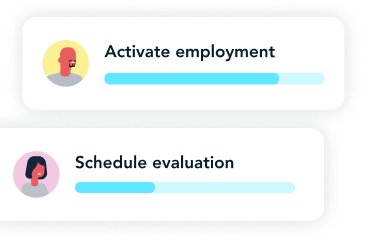
Create action points and assign them to a colleague with a deadline. Open action points roll over to the next meeting until they're completed.
- Assign by name and deadline
- Rolls over to the next conversation
- Visible in the employee's profile

PRIVACY
One safe place for your one-to-ones
Make a meeting private, including the notes. Admins and team leads see that a conversation is taking place, but they can't read along.
- Private notes only you can see
- Turn private mode on or off per meeting
- Personal summary per participant

AI
Smart AI suggestions
Record your meeting with the Meeting Agent for Google Meet or Microsoft Teams, or upload a recording. AI creates a summary and action points for you.
- Record via the app, Google Meet or Teams
- Automatic transcription and AI summary
- AI suggests action points from the conversation
Frequently asked questions about Meetings in HoorayHR
Can’t find your answer? Reach out via the chat or our other support channels. We’re happy to help you and your team streamline your meetings.
With Meetings in HoorayHR, you plan and run structured conversations: from weekly 1-on-1s to performance reviews and team retros. Agenda, action items, summaries, and attachments are all in one place, alongside the rest of your HR administration.
Yes. You set up a recurring series with your own frequency, such as weekly or bi-weekly. HoorayHR automatically creates upcoming meetings and rolls open action items over to the next session until they’re completed.
Yes. HoorayHR offers ready-made templates for common conversation types, such as weekly 1-on-1s, development conversations, performance reviews, and team retros. Load a template when creating a meeting and adjust the agenda items to your needs.
You assign action items to a participant with a deadline. As long as an action item isn’t completed, it automatically rolls over to the next meeting in the series. That way, nothing ever falls through the cracks. Completed action items remain visible in the historical view.
That depends on the meeting type and privacy setting. For a standard employee meeting, participants, the relevant team lead, and admins have access. If you enable the private meeting setting, only participants can see the contents. Admins and team leads can see that the meeting exists, but not what was discussed.
Yes. Each participant can add a private note that is only visible to themselves. Other participants, team leads, and admins can never see this note. Handy for personal observations or points you don’t want to share.
Yes. When you add an employee as a participant, the meeting automatically appears in their profile. That gives you all their 1-on-1s, action items, and summaries in one place, alongside the rest of the HR file.
Yes. You export a meeting as a PDF from the meeting view. The PDF includes the agenda, summaries, and action items you’re allowed to see based on the privacy settings. Private notes are never included in the export.
Yes. You can add attachments to an individual meeting, such as a PDF, image, or report. All participants can view and download attachments. Visibility follows the privacy settings of the meeting.
Yes. Record your meeting via the app, the HoorayHR Meeting Agent for Google Meet or Microsoft Teams, or upload an existing transcript. AI then automatically generates a summary and suggests action items based on the conversation. You review the suggestions, adjust them, and save.
Our data is securely stored in the cloud on a central database within the EU. More information about our security measures can be found on our security page.
The AI models are also hosted within the EU, ensuring compliance with the EU AI Act and GDPR legislation.
No, your data is your data. We don’t use employee data to train models like Claude or ChatGPT.