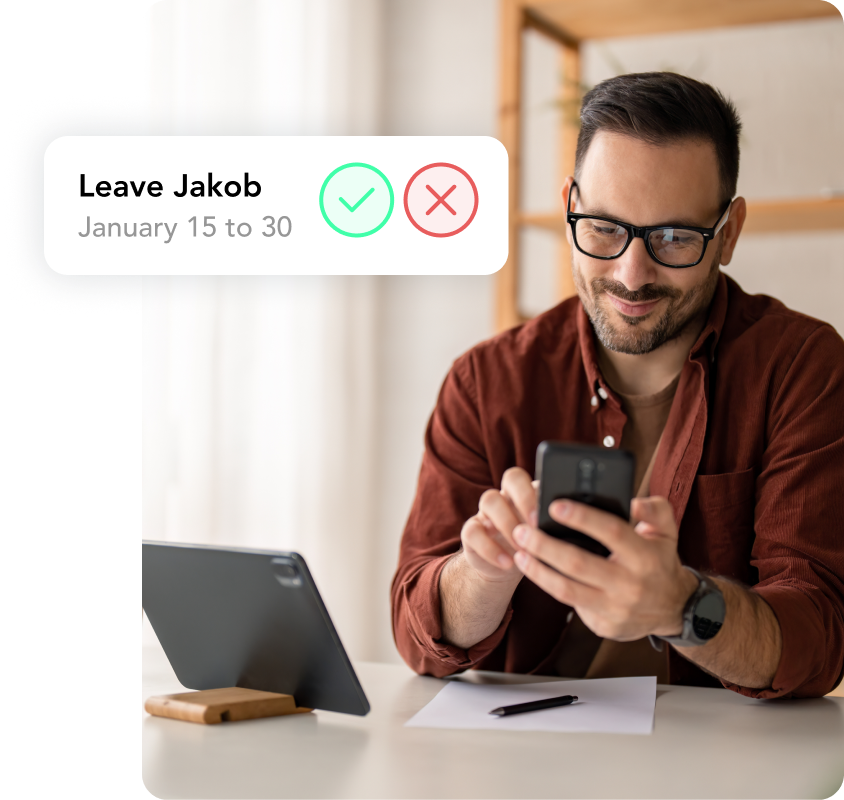

A time tracking app is a mobile application that lets employees start, stop and complete their working hours on their smartphone, whether they work in the office, at home or at a client’s site. The hours go straight into a central system, where managers approve them and HR reviews overtime and reports. For SMEs, an app that is part of the time tracking in your HR software is the quickest way to get rid of paper timesheets.
What is a time tracking app?
A time tracking app is the mobile side of a time tracking system: employees record their start time, breaks and finish time directly on their phone. Most apps have a start/stop timer and let you add hours afterwards or link them to projects. In the background, the software calculates hour balances and overtime. That is what sets a time tracking app apart from a traditional time clock, which is tied to one location.
iPhone, Android or browser: what do you need?
A good time tracking app runs on both iPhone and Android and also has a web version for desk work. That way everyone uses the device they already have. Do check that all features work the same on both platforms; otherwise you end up with two ways of working and incomplete data.
What features should a time tracking app have?
A time tracking app should let employees log hours in seconds while still giving HR complete data. Look for these features:
- A start/stop timer plus the option to add hours afterwards per day or per week
- The option to link hours to projects or clients
- An overview of own hours, surplus and shortfall for each employee
- Approval of hours by managers, also on mobile
- Leave and sick leave in the same app, so hour balances add up
- Reports and an export for payroll
- Clear access rights and GDPR-compliant storage
Who is a time tracking app for?
A time tracking app pays off wherever employees do not work in the same place every day. The more spread out your team is, the bigger the advantage over paper, Excel or a terminal.
Field staff and changing locations
For field staff, on building sites or at clients, a terminal at head office is not an option. With the app, employees log their hours on site and link them to the right project straight away. An example: a landscaping company with 25 employees used to collect paper timesheets every Friday and type them up on Monday. With an app, the hours are ready for approval the same evening.
Remote and hybrid teams
In hybrid teams, a time tracking app makes sure hours worked from home are recorded just as well as hours in the office. Employees see their own balance and do not need to ask HR. Managers notice early when someone is consistently working too much overtime.
Part-time work and flexible hours
With part-time work and flexible hours, working time often changes from week to week. An app automatically compares logged hours with agreed hours, so you can see at a glance whether someone is ahead or behind.
Time tracking app or paper timesheet: a comparison
A time tracking app is above all faster and more accurate than paper timesheets or Excel. If you still use spreadsheets, our guide on how to track hours in Excel covers the usual pitfalls.
Time tracking app and paper timesheet compared
| Criterion | Paper timesheet or Excel | Time tracking app |
|---|---|---|
| Logging hours on the go | On paper, copied over later | Directly on the smartphone |
| Current status | Only after collecting the sheets | Visible straight away |
| Calculating overtime | By hand | Automatically |
| Project hours | Manual and error-prone | Linked per entry |
| Traceability | Changes hardly visible | Every change stored |
What are the pros and cons of a time tracking app?
A time tracking app saves time and creates visibility, but it depends on how well your team adopts it.
Pros of a time tracking app
- Employees log their time where they work, without the detour via paper
- HR and managers see hours worked and overtime updated daily
- Fewer questions, because everyone can see their own balance
- Reliable figures for payroll and client invoicing
Cons of a time tracking app
- Not everyone wants to use their personal phone
- Forgotten entries need clear rules for adding them afterwards
- An app that is not connected to leave and payroll creates double work
When you introduce an app, decide who can see which time data and explain to your team why you track hours. Anyone who prefers not to use a personal phone can log hours in the browser or via a QR code on site. Rules on recording working time differ per country, so check the official government information where you operate.
The HoorayHR time tracking app
HoorayHR is all-in-one HR software for SMEs, and our self-service app for iOS, Android and web includes time tracking. Employees log their hours with the timer in the app, on desktop or via a QR code on site, per day or per week, and link them to projects. In the same app, they request leave and report sick.
Managers approve submitted hours with one click, also on the go. We calculate overtime automatically and HR exports the data for payroll. Because absence management lives in the same system, hour balances add up without extra checks.
A time tracking app works best when your team is happy to open it: few taps for employees, complete data for HR and no double work between different tools.
Is there a time tracking app for iPhone and Android?
Yes, most business time tracking apps run on iPhone and Android and also have a web version. Make sure all features are the same on both platforms. The HoorayHR app is available for iOS, Android and in the browser.
Is a time tracking app suitable for small teams?
Yes, small teams in particular benefit, because there is often nobody working on HR full time. Employees log their own hours, managers approve them and the figures are ready for payroll.
Do employees have to use their own phone?
No, you cannot simply expect that. Anyone who prefers not to install the app on a personal device can log hours in the browser or via a QR code on site. Agree on this before you roll out the app.
What is the difference between a time tracking app and a time clock?
A time clock sits in one fixed place, while a time tracking app goes wherever your employees go. Many apps work like a digital time clock with a start/stop timer and add project hours, overviews and approvals on top.
Can managers approve hours in the app?
Yes, in a good time tracking app employees submit their hours and managers approve them directly in the app or browser. That way, the data is checked and ready for payroll at the end of the month.

Written by
Ramon Glebbeek
Expert in HR
Ramon is a true expert in HR, thanks in part to his many years of experience at HoorayHR. With a passion for writing relevant blog posts and knowledge articles about HR, onboarding, performance management, and more, he offers a unique perspective on challenges and opportunities in the field. As an experienced human resources professional and content writer, Ramon is happy to share tips to help you save time on HR tasks and build a Great Place to Work.