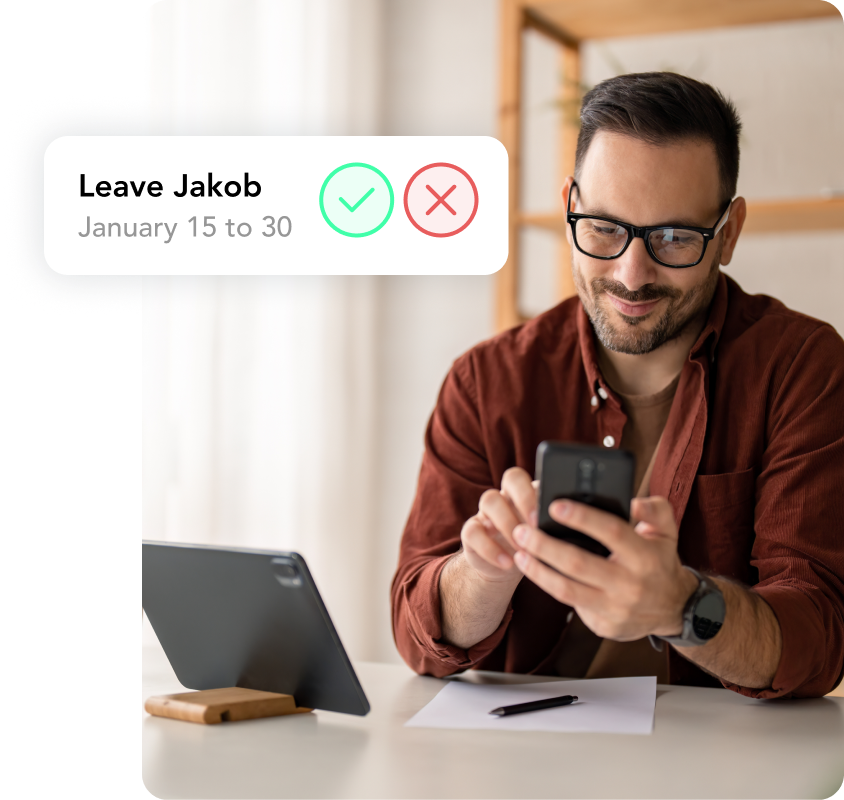

A time tracking system is software that lets employees record their working hours via an app, a browser or a QR code, and then processes those hours automatically: start time, breaks, finish time, overtime and hours per project. It replaces paper timesheets and spreadsheets and gives HR, managers and employees the same up-to-date view. For SMEs with 10 to 500 employees, time tracking built into your HR software is usually the simplest option.
What is a time tracking system?
A time tracking system is a digital tool that records working time per employee per day and turns it into hour balances, overtime and reports. Employees start and stop a timer or fill in their hours afterwards, a manager approves them, and HR sees everything in one place. You will also see the term time tracking tool; in practice both mean the same thing.
Time tracking system or time clock: the difference
A time clock mainly records when someone starts and stops work, often on a device at the entrance. A time tracking system goes further: it also turns those hours into balances, overtime, project hours and reports. Many modern systems combine the two, so employees clock in and out in the app and HR can work with the figures straight away.
What features should a time tracking system have?
A good time tracking system makes recording hours quick and gives HR reliable figures for payroll. Expect at least these features:
- Recording via mobile app, in the browser and, where useful, via a QR code on site
- A start/stop timer plus the option to add hours afterwards per day or per week
- Automatic calculation of overtime and allowances
- An approval flow in which managers approve hours with one click
- The option to link hours to projects or clients
- Reports per employee, team, project or period and an export for payroll
- Clear access rights and GDPR-compliant storage
A quick calculation: if HR spends ten minutes per employee per month checking timesheets for a team of 40, that adds up to more than six and a half hours a month. An approval flow removes most of that work.
What types of time tracking are there?
There are four common ways to record working time, and they differ mainly in effort and flexibility. If you still use spreadsheets, our guide on how to track hours in Excel shows where that approach starts to break down.
Types of time tracking compared
| Method | How it works | Best for |
|---|---|---|
| Paper timesheet or Excel | Employees fill in hours manually, HR copies them over | Very small teams, as a temporary solution |
| Time clock or terminal | Clocking in and out at a fixed device | Businesses with a single fixed location |
| Standalone time tracking tool | App and browser, hours stored in separate software | Teams that only want to track hours |
| Time tracking in HR software | App and browser, hours next to leave and personnel files | SMEs that want all HR in one place |
What are the pros and cons of a time tracking system?
A time tracking system mainly brings visibility and less admin, but it needs a careful rollout.
Pros of a time tracking system
- Hours worked, breaks and overtime are always visible to employees, managers and HR
- Fewer mistakes, because nobody retypes or adds up timesheets anymore
- A complete, traceable record if you need to show how working time was recorded
- Reliable figures for payroll, invoicing and planning
Cons of a time tracking system
- The rollout takes time for setup, agreements and a short introduction
- Without open communication, tracking hours quickly feels like being monitored
- A standalone tool that is not connected to leave and payroll creates double work
How do you choose the right time tracking system?
The right time tracking system is one your employees can use without training and that connects directly to the rest of your HR data. Approach it like this:
- Step 1: Map out who works where: in the office, at home, at clients or in shift work.
- Step 2: Agree on your rules for breaks, overtime, allowances and approvals.
- Step 3: Check whether the system also handles leave and sickness, so hour balances add up.
- Step 4: Test the export to your payroll provider or accountant.
- Step 5: Let two or three employees try the system in their daily work first.
In many countries, including across the EU, employers are expected to record their employees’ working time. The exact rules differ per country, so check the official government information for the countries you operate in. For a comparison of providers, see our blog on the best time tracking software for SMEs.
Time tracking with HoorayHR
HoorayHR is all-in-one HR software for SMEs, in which you handle time tracking alongside leave and personnel files. Employees record their hours per day or per week with the timer in the mobile app, on desktop or via a QR code on site. You label hours per project and report per project, period or employee.
We calculate overtime automatically, and you set up allowances for evening, weekend or overtime work yourself. Employees submit their hours, managers approve them, and HR exports the data for payroll. See which integrations are available. Because leave management lives in the same system, hour balances add up without comparing two tools.
A time tracking system delivers the most when it does not stand alone: the closer hours, absences and payroll are connected, the less work is left for HR at the end of the month.
How much does a time tracking system cost?
Costs depend on the provider and the number of employees; you usually pay an amount per employee per month. Check whether time tracking is part of the HR software or a separate add-on. You can find HoorayHR’s current prices on our pricing page.
What is the difference between a time tracking system and a time clock?
A time clock mainly records start and finish times, often on a device in a fixed location. A time tracking system also turns those hours into balances, overtime and reports and works via app and browser.
Can employees add hours afterwards?
Yes, in most systems employees can add forgotten hours afterwards, per day or per week. The manager sees the change and approves it, so the record stays complete and traceable.
Does a time tracking system work for part-time staff and flexible hours?
Yes, a good time tracking system compares the recorded hours with the agreed working hours and shows any surplus or shortfall. This works the same way for full-time, part-time and flexible schedules.
How do I introduce a time tracking system to my team?
Start by explaining why you track hours and who can see which data. Then begin with a small group, agree on rules for breaks and overtime and roll the system out to everyone. A simple app lowers the threshold considerably.

Written by
Ramon Glebbeek
Expert in HR
Ramon is a true expert in HR, thanks in part to his many years of experience at HoorayHR. With a passion for writing relevant blog posts and knowledge articles about HR, onboarding, performance management, and more, he offers a unique perspective on challenges and opportunities in the field. As an experienced human resources professional and content writer, Ramon is happy to share tips to help you save time on HR tasks and build a Great Place to Work.