

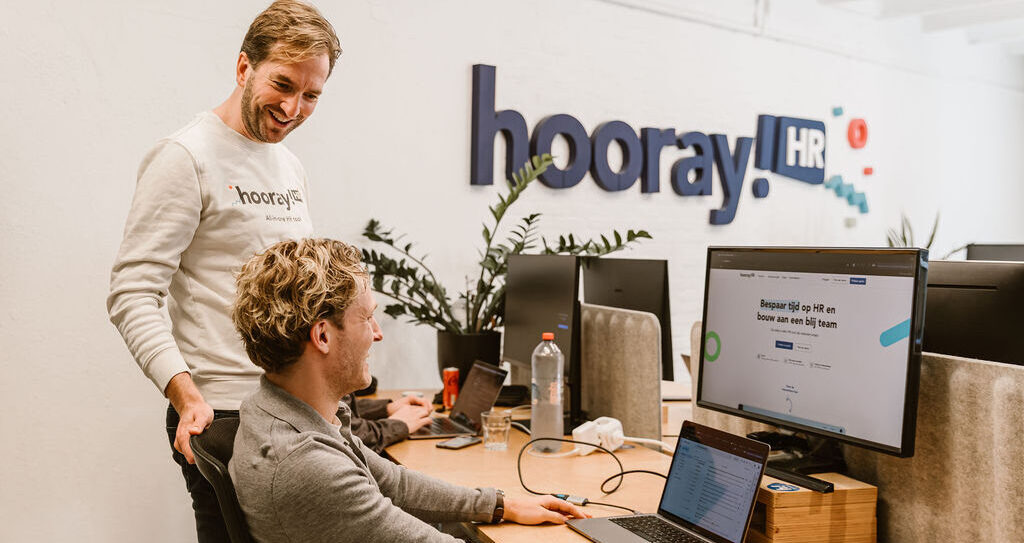
Time tracking software for small businesses records when your employees start, take breaks and finish work, through an app or a browser, and adds up hours and overtime automatically. For a small business this matters twice over: in the EU, employers are expected to record working time, and HR is often handled by one person on top of their day job. Simple time tracking replaces paper timesheets and spreadsheets and saves you hours of admin every month.
Why do small businesses need time tracking?
Small businesses need time tracking because accurate hours are the basis for payroll, planning and fair agreements within the team, and because the law increasingly requires it. In 2019 the Court of Justice of the European Union ruled that EU member states must require employers to set up a system that measures the daily working time of each worker. How that is implemented differs per country, so check the rules of the labour authority in your country.
Beyond compliance, there are practical reasons:
- You always know who worked when and for how long, also on site or at home.
- Overtime becomes visible before it turns into a dispute.
- Payroll receives complete figures instead of handwritten notes.
- You plan shifts and jobs better, because you have real data on workload.
- In case of an inspection or a dispute, you have a clear record.
What challenges do small businesses face with time tracking?
The biggest challenge for small businesses is time itself: there is no HR department and no IT team, so time tracking happens in between everything else. That is why many companies stick to paper or spreadsheets, even though it costs more effort in the long run.
Paper timesheets and Excel are error-prone
Paper timesheets and Excel lists get lost, are filled in after the fact or are copied over incorrectly. At the end of the month someone chases missing entries. If you still work in spreadsheets, our guide to tracking hours in Excel shows how to do it and where the limits are.
Many systems are too big
Many time tracking systems are built for large organisations, with clocking terminals, long implementations and features a small team never uses. A small business needs the opposite: quick to set up, easy to use and no extra hardware.
Employees work in different places
In construction, care or services, employees are often at a client site or on the road. A time clock in the office does not help much then. A mobile solution on their phone fits their working day much better.
What should time tracking software for a small business do?
Good time tracking software for a small business records hours without detours, calculates automatically and delivers the data for payroll. Look for these features:
- App and browser tracking: employees clock in and out with a timer or enter hours afterwards.
- Breaks and overtime: the system adds up hours, breaks and overtime automatically.
- Approvals: managers review and approve hours in one click.
- Leave and absence: leave and sick days sit in the same system, so planned and worked hours match.
- Project hours: optionally link hours to projects or clients.
- Export and integrations: reports for payroll, ideally through an integration.
- Privacy: GDPR-compliant storage and clear rights on who sees which hours.
Paper timesheet, Excel or software: the differences for small businesses
| Criterion | Paper timesheet | Excel | Time tracking software |
|---|---|---|---|
| Tracking on the go | paper only | cumbersome | via the app, anytime |
| Calculating overtime | by hand | with formulas, error-prone | automatic |
| Work at month end | high (retyping) | medium (checking, merging) | low (export) |
| Overview for management | hardly any | delayed | real time |
| Costs | very low | low | monthly fee |
What are the pros and cons of digital time tracking for small businesses?
Digital time tracking mainly saves a small team time and mistakes, but it takes some getting used to and comes with a monthly fee. For most businesses the benefits win as soon as more than a handful of people log hours.
Advantages of digital time tracking
- Less manual work, because nobody retypes timesheets or merges spreadsheets.
- Fewer mistakes in hours, breaks and overtime.
- Transparency for the team: everyone sees their own hours and overtime balance.
- Flexibility for remote work, field work and changing locations.
- Reliable data for payroll, planning and inspections.
Disadvantages of digital time tracking
- Getting started takes some time: you set up schedules, contract hours and rights once.
- Employees need to get used to clocking in and out.
- There are running costs, unlike a free spreadsheet.
How to choose the right time tracking for your small business
You find the right time tracking for a small business by describing your own working day first and comparing vendors second. Do you only want to record hours, or also manage leave and absence? Does your team work at a desk or on the road? These questions help:
- Ease of use: can everyone use it without training?
- Mobile: is there an app for iOS and Android?
- Growth: does the system still fit when you grow from 15 to 60 employees?
- Costs: is the pricing fair and clear for small teams?
- Support: do you get help with the setup?
- Trial: can you test the software in practice first?
For an overview of vendors and criteria, read our comparison of the best time tracking software for SMEs.
Example: time tracking at an installation company
Picture an installation company with 14 employees. Ten technicians work at a different location every day, four colleagues work in the office and the workshop. Today, everyone fills in a weekly timesheet that the owner types into Excel at the end of the month. With 14 timesheets a week, that is easily more than 50 sheets a month, and a break or a whole day is regularly missing.
With time tracking software, the technicians clock in and out on site via the app. Hours land on the right project straight away, overtime is calculated automatically and the manager approves the week in one click. At the end of the month the owner exports the hours for payroll, instead of spending an evening retyping timesheets.
Time tracking for small businesses with HoorayHR
HoorayHR is all-in-one HR software for SMEs with 10 to 500 employees, in which you manage time tracking and the rest of your HR in one place. Employees log their hours per day or per week: with the timer in the app, on desktop or with a QR code on location. You label hours per project and report on them.
We calculate overtime automatically, and you set up allowances yourself. Employees submit their hours, managers or admins approve them. With absence management, leave and sick days sit in the same system, and our integrations pass the hours on to payroll.
The sooner you move from paper to a digital solution, the easier it is: with a small team the setup is done quickly, and the system grows with you as your company grows.
Does a small business have to track employee working hours?
In the EU, the Court of Justice ruled in 2019 that member states must require employers to measure the daily working time of each worker. Each country implements this in its own way, and some already require full time recording. Check the rules of the labour authority in your country for the exact obligations.
Can a small business track time on paper?
That depends on the rules in your country. Where paper is allowed, it still costs a lot of time to collect, check and retype timesheets. Digital time tracking software makes recording and checking hours much easier and prevents lost sheets.
How much does time tracking software for a small business cost?
Most vendors charge per employee per month, and some offer time tracking as part of an HR software package. Compare not only the price, but also the time you save at the end of each month. A free trial shows whether it pays off for your team.
How is time tracking for small businesses different from enterprise solutions?
Time tracking for small businesses is leaner: it runs in the cloud, needs no clocking terminals and is set up quickly. The focus is on the basics, such as hours, breaks, overtime and leave, rather than complex rostering for thousands of employees.
How do field employees track their working time?
Field employees track their working time most easily with an app on their phone. They clock in and out on location and the hours appear in the system straight away. You need no time clock in the office and no timesheets that arrive days later.

Written by
Ramon Glebbeek
Expert in HR
Ramon is a true expert in HR, thanks in part to his many years of experience at HoorayHR. With a passion for writing relevant blog posts and knowledge articles about HR, onboarding, performance management, and more, he offers a unique perspective on challenges and opportunities in the field. As an experienced human resources professional and content writer, Ramon is happy to share tips to help you save time on HR tasks and build a Great Place to Work.
